
In this article
- Chrome 158 fixes 204 security issues, including six rated critical
- Anthropic researcher Xinyang Ge used AI to find two critical flaws
- Update Chrome to get the security fixes, including on Android
On November 17, Google issued a security update to Chrome’s Stable channel for Windows, Mac, and Linux. The update is rolling out over the coming days and weeks.
Most users are on Chrome’s Stable channel. The desktop update brings Chrome to versions 158.0.8127.36/.37 for Windows and Mac, and 158.0.8127.36 for Linux. It includes 204 security fixes, six of which are rated critical—the highest severity level.
Google also released Chrome 158.0.8127.42 for Android on November 17, with the same security fixes. It’s rolling out through Google Play. On November 18, Google released Chrome 159.0.8154.18 for Android to a small percentage of users. It will become available to more users over the next few days.
Google credits Anthropic researcher Xinyang Ge, assisted by Claude, with finding the critical GPU and Media flaws. Ge is also credited with finding several high-severity flaws.
How to update Chrome
The easiest option is to allow Chrome to update automatically. But you can fall behind on updates if you never close your browser or if something goes wrong, such as an extension preventing the update.
If you don’t want to wait for the rollout to reach you, you can update manually.
Open About Google Chrome from Chrome’s Settings or Help menu. Chrome will check for updates and download any available update. If prompted, click Relaunch to apply it.
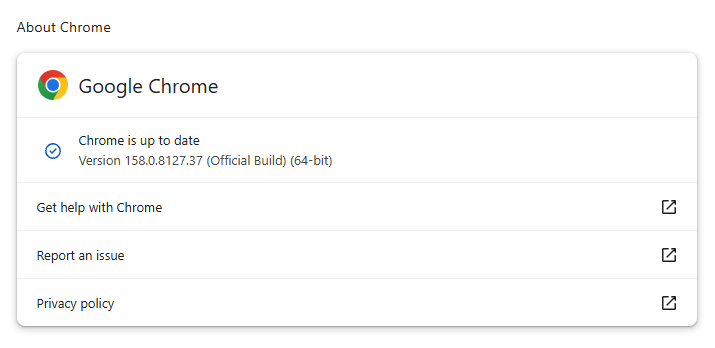
You can find an explanation of the version numbering system and step-by-step instructions in our guide: How to update Chrome on every operating system.
Technical details
The update addresses six vulnerabilities Google rates critical, all involving memory-safety errors. These include out-of-bounds writes in GPU and ANGLE, a buffer overflow in Media, and use-after-free vulnerabilities in WebView, GarbageCollection, and WebAudio.
Graphics-related fixes also feature prominently among the high-severity entries, including additional ANGLE and GPU vulnerabilities.
I want to have a closer look at the vulnerability tracked as CVE-2026-131031: a critical out-of-bounds write in GPU.
Google Chrome uses your GPU for graphics rendering, video playback, and web graphics Application Programming Interfaces (APIs) like WebGL and WebGPU.
An out-of-bounds write vulnerability allows a program to write outside the memory boundaries it is supposed to use. It can lead to memory corruption or allow an attacker to place malicious code in memory and trick the system into running it.
Stop threats before they can do any harm.
Malwarebytes Browser Guard blocks phishing pages and malicious sites automatically. Free, one click to install. Add it to your browser →